 eBay Calculator
How to price an item on eBay so you at least break even
Most sellers price from the other side. They look at what similar items sold for and ask what profit that leaves. That works, but it is just as useful to know your floor: the lowest price at which you do not lose money. It tells you how far you can go in a sale, accept an offer or run a promotion.
Why you can't just add the fees on
You can't take your costs and add the fees, because the fees depend on the price. A higher price means higher fees, so the break-even price is a little more than your costs plus today's fees. For business sellers it also moves with VAT, as we show below.
An example
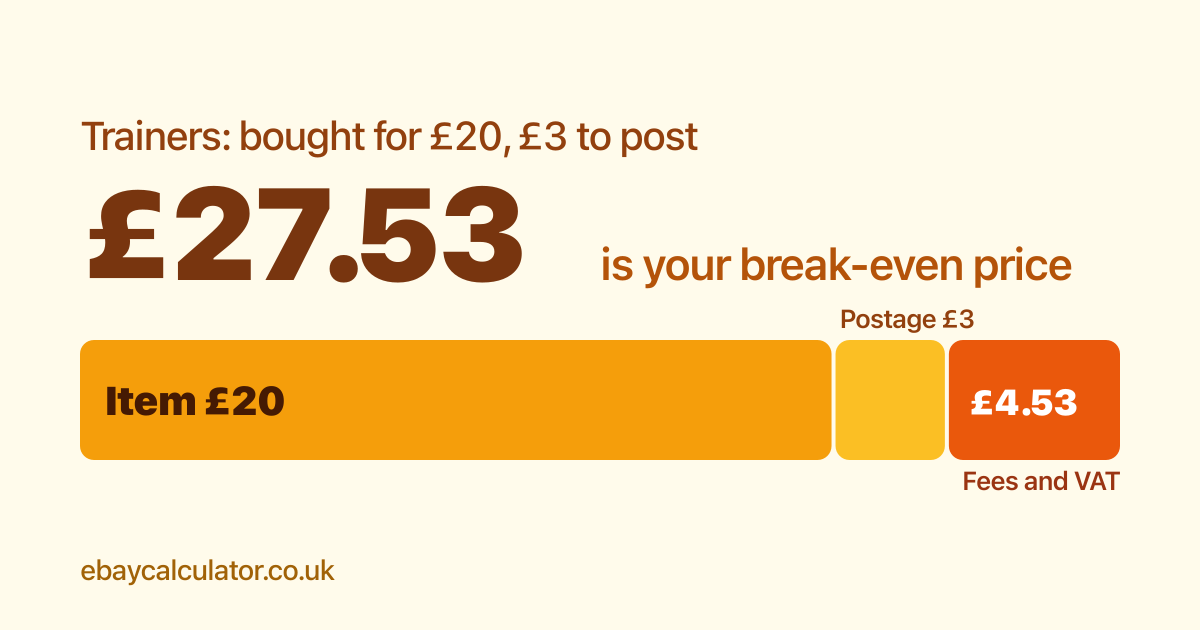
Say you buy a pair of trainers for £20 and it costs you £3 to post them. You sell as a business, in the Trainers category, and you are not VAT registered. The break-even price is £27.53, about £4.50 above your £23 of costs. That £4.50 is the final value fee (11.9%), the per-order fee, the regulatory fee and VAT on all three, taken from the sale price.
- If you charge the buyer £3.50 postage on top, the break-even item price falls to £24.03.
- If you are VAT registered, it is £32.93 for a UK buyer. VAT is due on the sale, and that has to be covered as well as the fees. The £20 purchase price is counted without VAT, because you reclaim the VAT you paid on it.
- Sell the same item to a buyer in the US and the VAT-registered break-even drops to £27.23. We explain why in our guide to selling abroad.
Do it for your own item
- Open the calculator and choose your seller type and category.
- Enter your purchase price and postage cost. Leave the sold price empty if you do not have one yet.
- Read the break-even price in the results. If you want to compare buyer locations, the table underneath shows each one.
Then price above the break-even by the profit you want. The calculator updates as you type, so you can try a few prices and see the profit at each.
Keep in mind
- The break-even assumes the item sells. It does not cover listing time, packaging, returns or items that don't sell.
- Fees are charged on the postage you charge as well as the item price, and the calculator includes that.
- Fees change. The "Fees updated" date next to the calculator shows when the figures were last checked.