 eBay Calculator
Selling abroad as a VAT-registered eBay seller
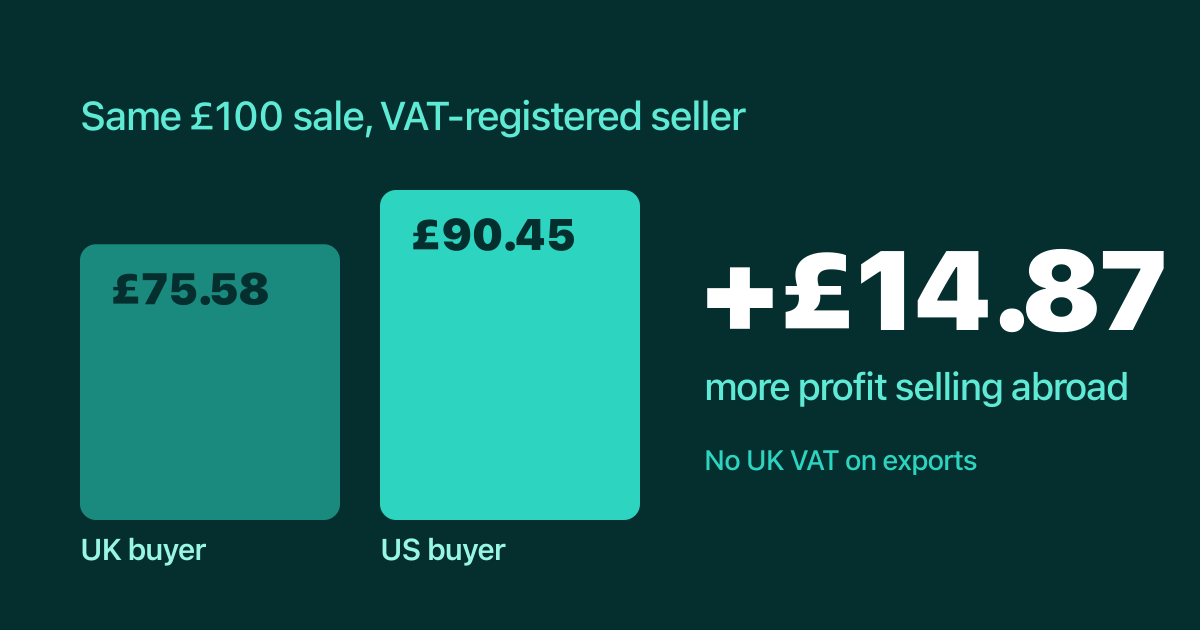
If you are a VAT-registered business, a sale to a buyer in the UK and an identical sale to a buyer in the US are not the same, and the one abroad can leave you with more money. The reason is VAT.
Why abroad can pay more
Sales to buyers in the UK include VAT, and you pay it to HMRC. Exports are normally zero-rated: you do not charge UK VAT, so you have no VAT to pay on that sale. eBay charges a small international fee, but for many sellers the VAT saved is much bigger.
Here is a £100 pair of trainers sold by a VAT-registered business, with no postage charged:
| UK buyer | US buyer | |
|---|---|---|
| Sold price | £100.00 | £100.00 |
| Final value fee (7%) | £7.00 | £7.00 |
| Per-order and regulatory fees | £0.75 | £0.75 |
| International fee (1.8%) | none | £1.80 |
| VAT owed to HMRC | £16.67 | none |
| Profit before the cost of the item | £75.58 | £90.45 |
That is £14.87 more on the US sale. VAT-registered sellers reclaim the VAT on eBay's fees, so the table leaves it out.
Not VAT registered
If you are not VAT registered the picture is flat. You have no VAT to pay on either sale, and you pay VAT on eBay's fees either way. The same £100 sale leaves £90.70 for a UK buyer and £88.54 for a US buyer. Selling abroad costs you a little, because of the international fee.
What to check before you rely on it
- Keep proof of export. Zero-rating depends on evidence that the goods left the UK, such as postage records. The calculator assumes you have it.
- Know the buyer's side. Duties and import taxes in the destination are the buyer's cost, but they can put buyers off. Check what applies to your market.
- eBay International Shipping. If you use it, you do not pay the international fee on those orders.
- This is not tax advice. If your situation is more complicated, such as goods you sell from stock held abroad, ask your accountant.
See your own numbers
The calculator compares a UK buyer with each overseas location for your category, so you can see the difference for your item. Choose "business seller", tick "VAT registered" and enter a sold price.