 eBay Calculator
Selling second-hand goods on eBay as a VAT-registered business: the Margin Scheme
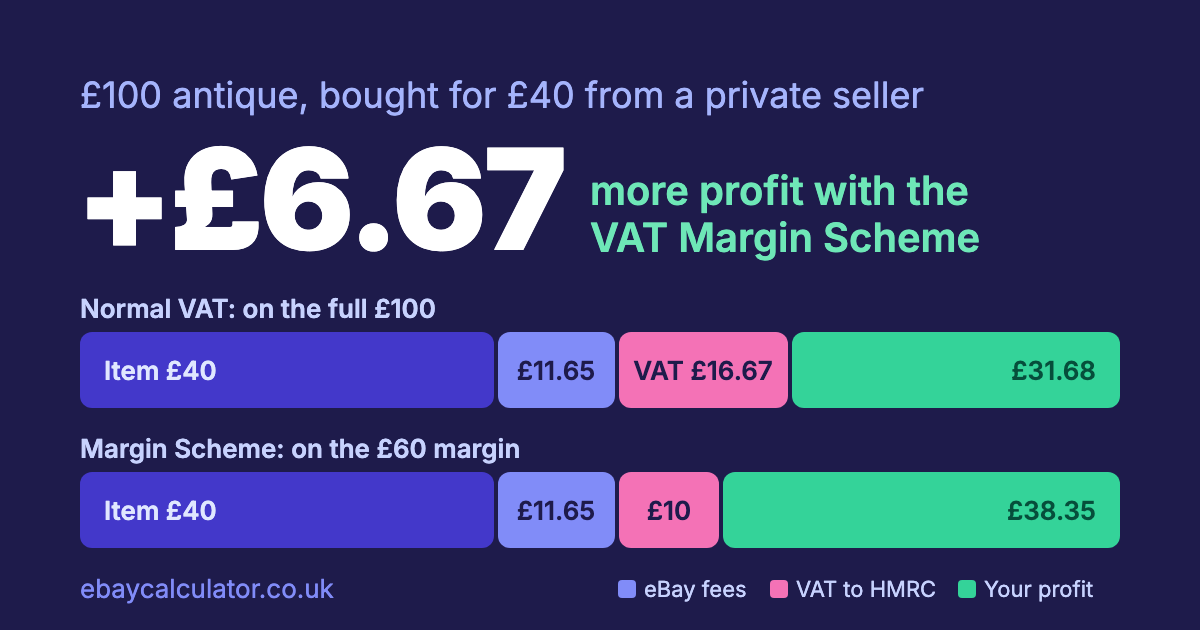
If you are VAT registered, normally one-sixth of every UK sale price goes to HMRC. For a business that buys second-hand goods and resells them, that hurts: you pay VAT on the full price, even though you paid no VAT when you bought the item.
The VAT Margin Scheme is built for this. Instead of VAT on the sale price, you pay it on your margin: the sale price minus what you paid for the item.
An example
An antique you bought for £40 and sell for £100, as a VAT-registered business, with no postage charged:
| Normal VAT | Margin Scheme | |
|---|---|---|
| Sold price | £100.00 | £100.00 |
| eBay fees (Antiques, 10.9% plus 75p) | £11.65 | £11.65 |
| VAT owed to HMRC | £16.67 | £10.00 |
| Profit after the cost of the item | £31.68 | £38.35 |
The margin is £60, and VAT on it is one-sixth: £10. That leaves you £6.67 more than if the same sale were charged VAT on the whole £100. VAT-registered sellers reclaim the VAT on eBay's fees, so the table shows the fees without it.
The lower your margin, the bigger the saving as a share of the sale. If you sell at a loss, no VAT is due at all.
What to check first
The scheme is not a free choice. Before you rely on it:
- The goods must qualify. It covers second-hand goods, art, antiques and collectors' items, bought from someone who could not charge you VAT, such as a private individual or a business that is not VAT registered. Goods bought with VAT on the invoice usually can't go into it.
- You can't reclaim VAT on the purchase, which in practice means there was none to reclaim.
- Your invoice can't show VAT for goods sold under the scheme, and you have to keep a stock book and purchase records.
- Check the details with HMRC. The rules have conditions, such as how you account for it, that this post does not cover. Start with HMRC's guidance on VAT margin schemes.
Using the calculator
Switch to business, tick VAT registered, then tick Second-hand goods (VAT Margin Scheme) and enter your purchase price. The result shows the VAT on the margin. Without a purchase price the margin is the whole sale, so it matches normal VAT.
The calculator takes the margin as the sale price plus any postage you charge, minus what you paid, on each item. It does not model the scheme's other options. Our guide to pricing to break even shows how to find your floor price once you have chosen the scheme.